Different ways to think, explore, and write. One story, wherever inspiration takes you.
Ideas & Context
Your material. Connected to the work.
Ideas give loose thoughts a place to land. Context helps you choose which story material you’re developing, wherever you work next.
Ideas
A thought doesn’t need a Story yet.
Keep a personal stream of scenes, questions, observations, and fragments of dialogue. Save an Idea without choosing a Project, Story, or Storyform.
When it belongs with a Story, bring the relevant text into a Note in that Story’s Context Materials. Choose Storyform Context when it belongs to one particular structure. The original can stay in Ideas.
Story & Storyform Context
A home for what you’re developing.
Keep the premise, character background, research, and drafts with your Story. Story Guide and Story Expert keep their workbooks there too.
Use a Storyform for a particular narrative structure and its Throughlines, Storypoints, and Storybeats. A Story can have several Storyforms, so you can explore another version while keeping the wider story material together.
Working Context
Choose what comes with you.
Choose the Story and Storyform for the task, with a Persona to guide how assistance approaches the work. Keep that selection as you move between workspaces.
A Project brings related work together. Save named Working Contexts for different tasks within it, then return to the selection you need. Ideas stays your personal stream.
Follow a thought through The Last Elf. An image of a seed can begin in Ideas. Bring it into the Story’s Notes, then use a saved Working Context to develop it in Story Guide, Narrova, or Plot Progression.
01 Story Guide
A little spark.
A story taking shape.
Start with a character, a question, or a scene you can’t stop thinking about. Give your ideas somewhere to grow.
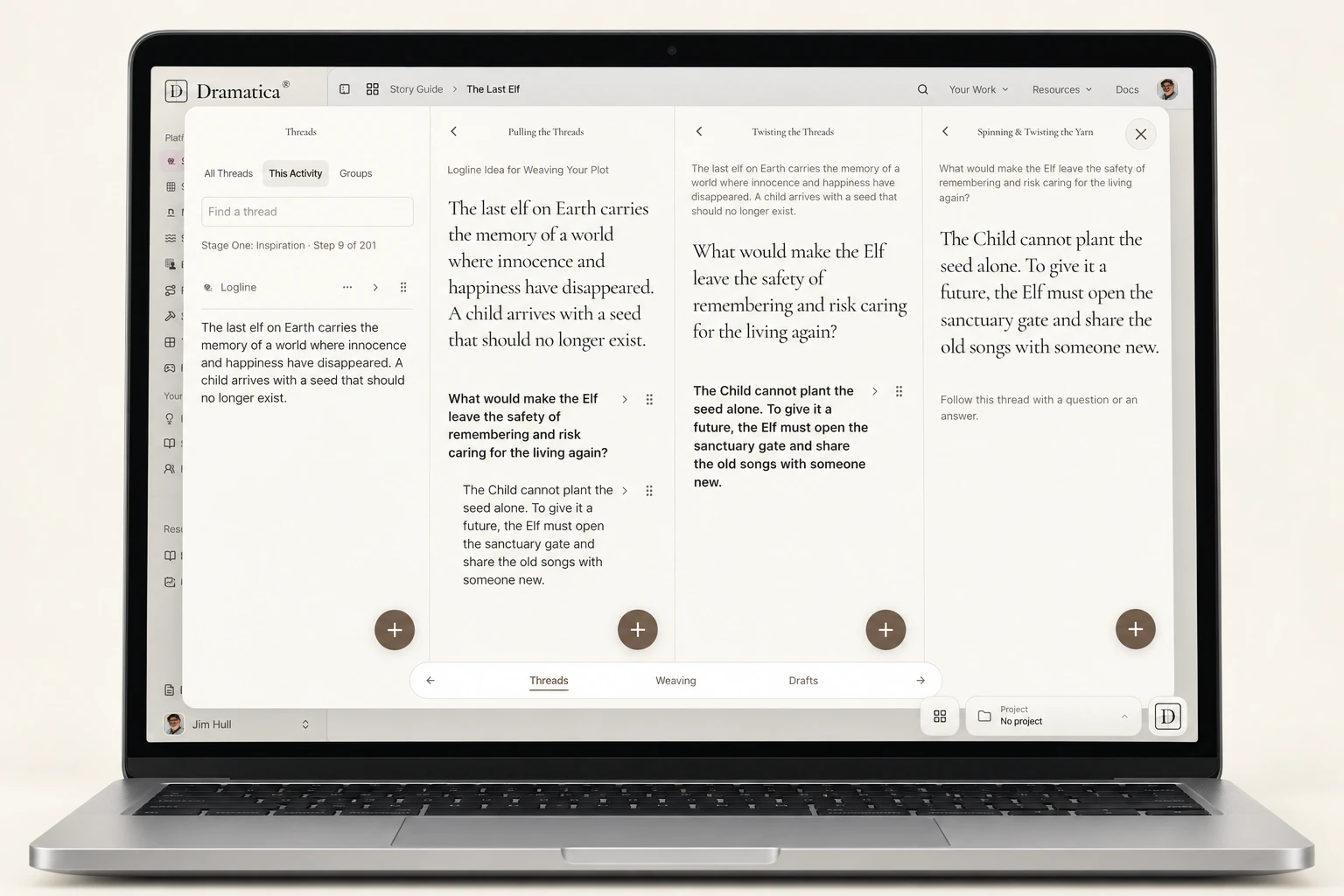
Find your way into the story.
Move through Inspiration, Development, Exposition, and Storytelling. Thoughtful writing activities help you discover what comes next, one step at a time.
Keep the threads together.
Develop questions and answers, connect your ideas, and weave the material you choose into a synopsis and treatment. Your notes and manuscript stay close by.
02 Story Expert
The right questions.
Your own answers.
Explore the decisions at the heart of your story, with guidance drawn from the original Dramatica application.
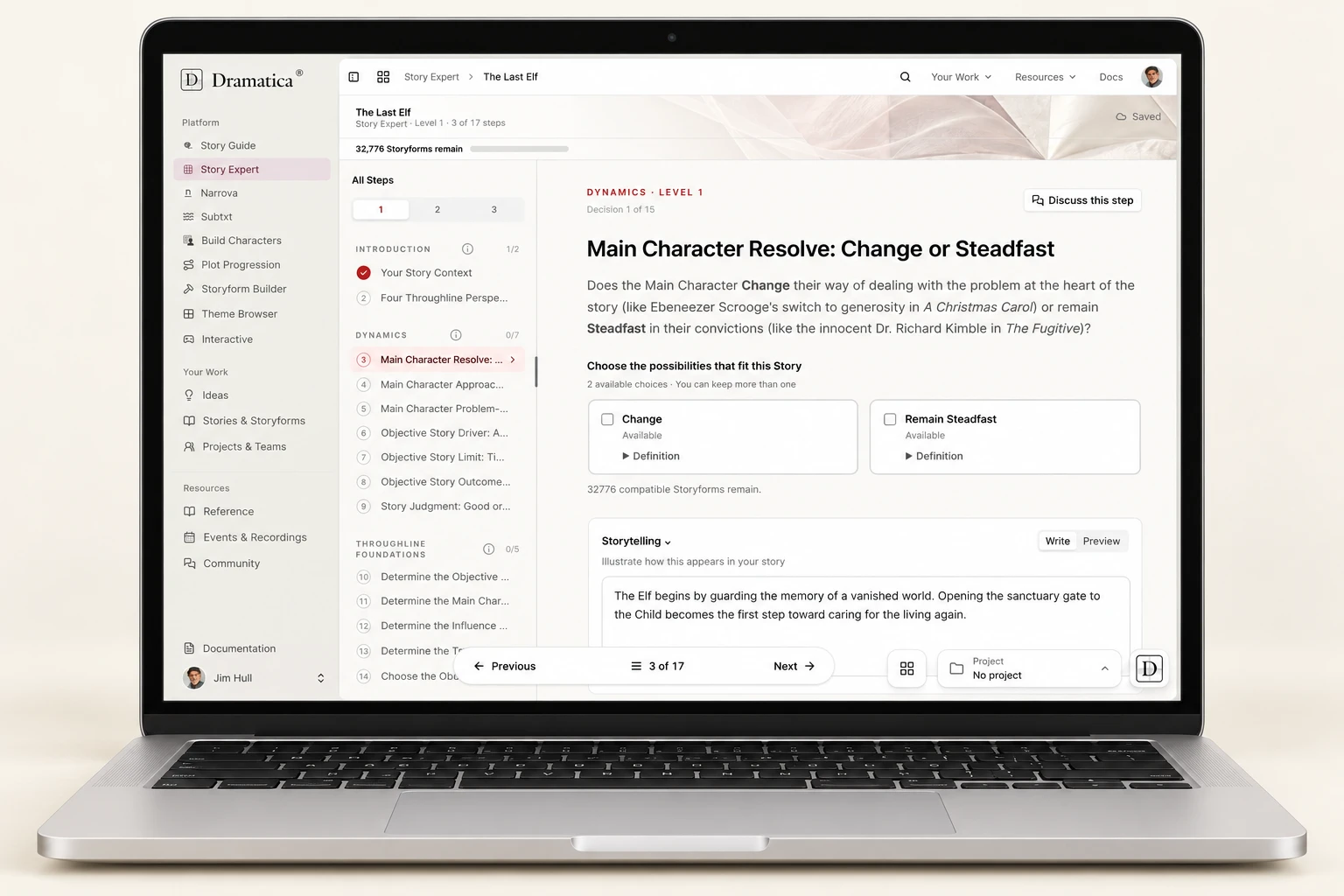
Understand the choice.
Will your Main Character Change or remain Steadfast? Work through the questions with definitions and examples, then choose the possibilities that fit your story.
Go as deep as you need.
Three levels of detail let you begin with the essentials or explore every Throughline. Keep your Storytelling and notes beside the choices that shape your Storyform.
03 Narrova
Think it through.
Together.
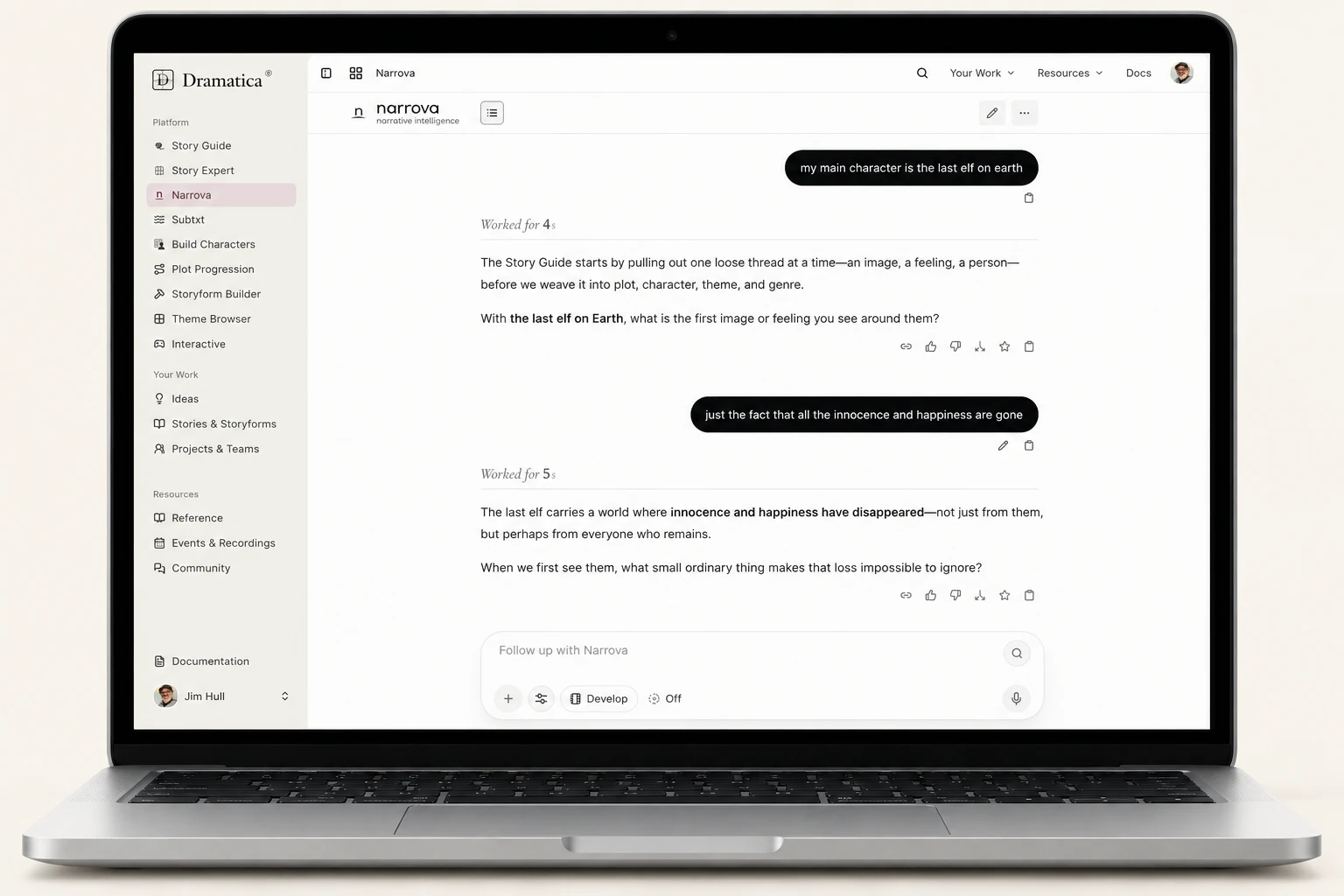
A conversation with narrative intelligence, grounded in Dramatica Theory and the story you’re developing.
Bring your story into the conversation.
Set your Story Context, attach the material you want to explore, and ask a focused question. Compare possibilities, investigate a contradiction, or work through a difficult scene.
Keep the ideas worth keeping.
Save a useful response in Notes, select a snippet to explore further, or branch the conversation to try another direction. You decide what belongs in the story.
04 Build Characters
People with purpose.
Conflict with meaning.
Look beneath a character’s biography. Explore the motivations and dramatic roles that put your cast in motion.
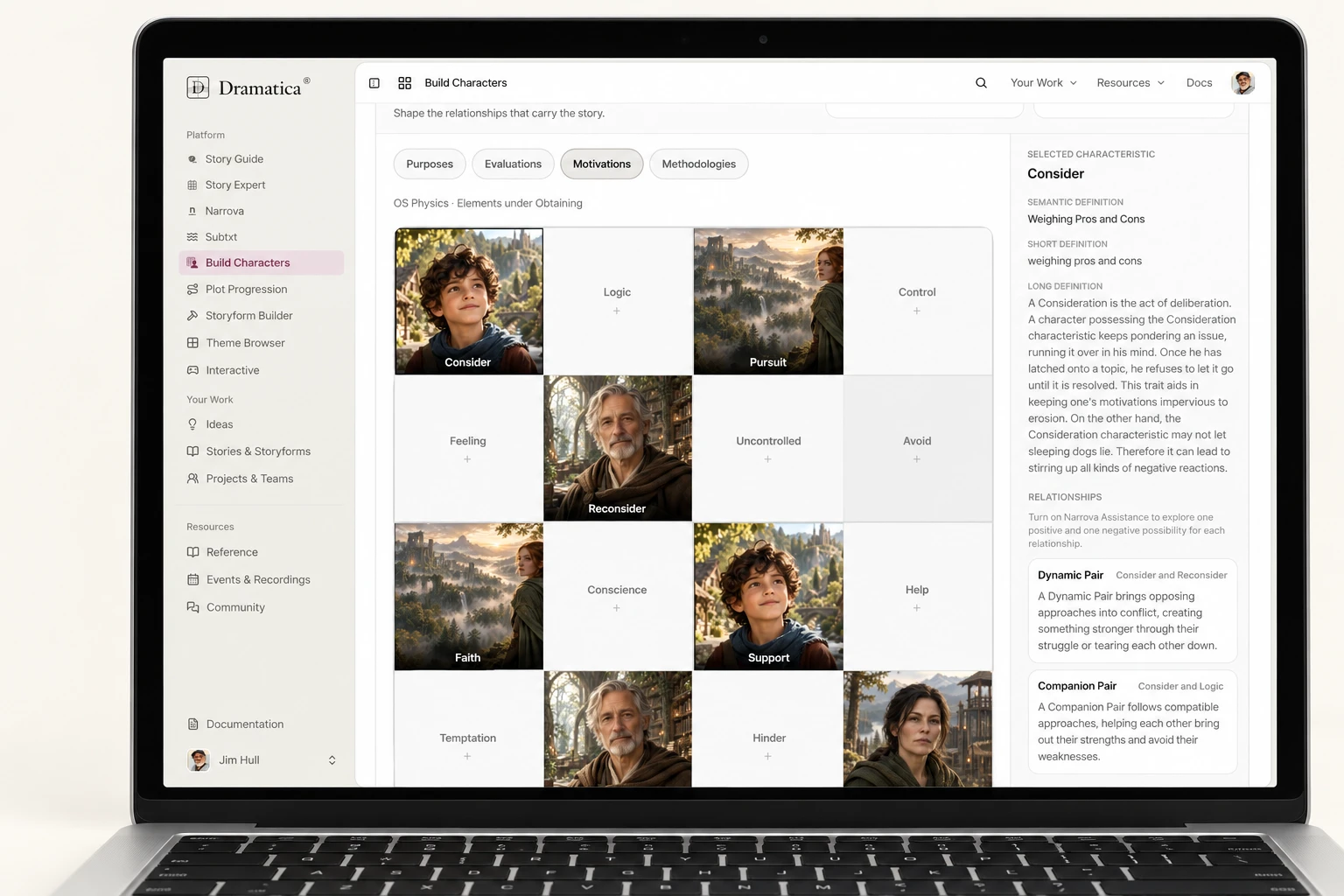
Give every Player a part to play.
Bring your cast into the story’s structure. Develop the people who carry its conflict, and connect their dramatic characteristics to the characters you imagine.
Explore what drives them.
Work with Motivations, Methodologies, Purposes, and Evaluations. Discover how different ways of pursuing, acting, and judging can make your cast more distinct.
05 Subtxt
From what it means
to what happens.
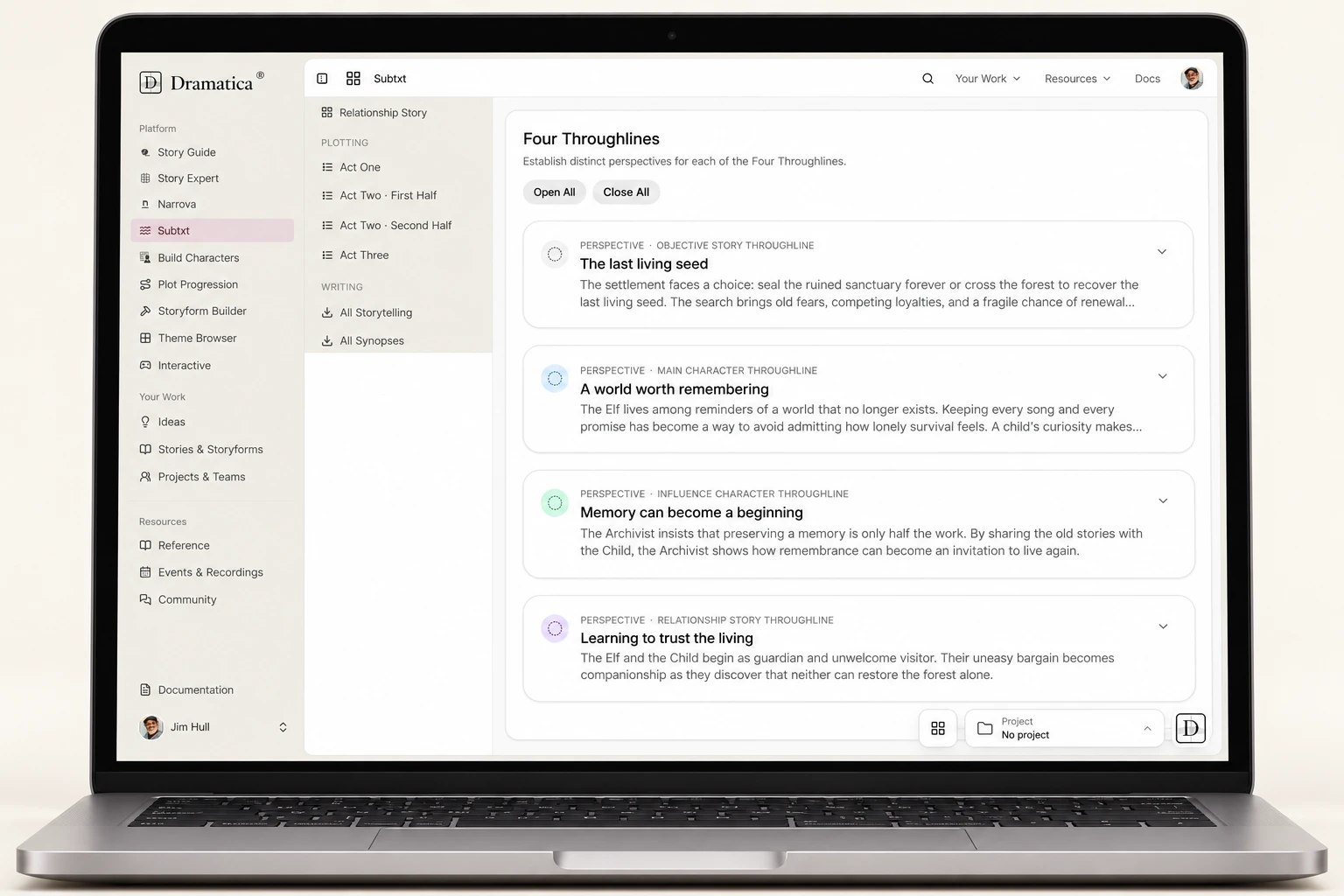
Bring your Storyform to life in the details: the confrontations, discoveries, and decisions your audience will experience.
Make the structure your own.
Move through Forming, Illustrating, Plotting, and Writing. Translate Storypoints into specific Storytelling that belongs to your characters and their world.
Find the shape of each scene.
Arrange Storybeats into Moments—your scenes, sequences, or chapters. Bring different Throughlines together, then review and export the writing material you’ve developed.
06 Plot Progression
See the movement.
Write the turning points.
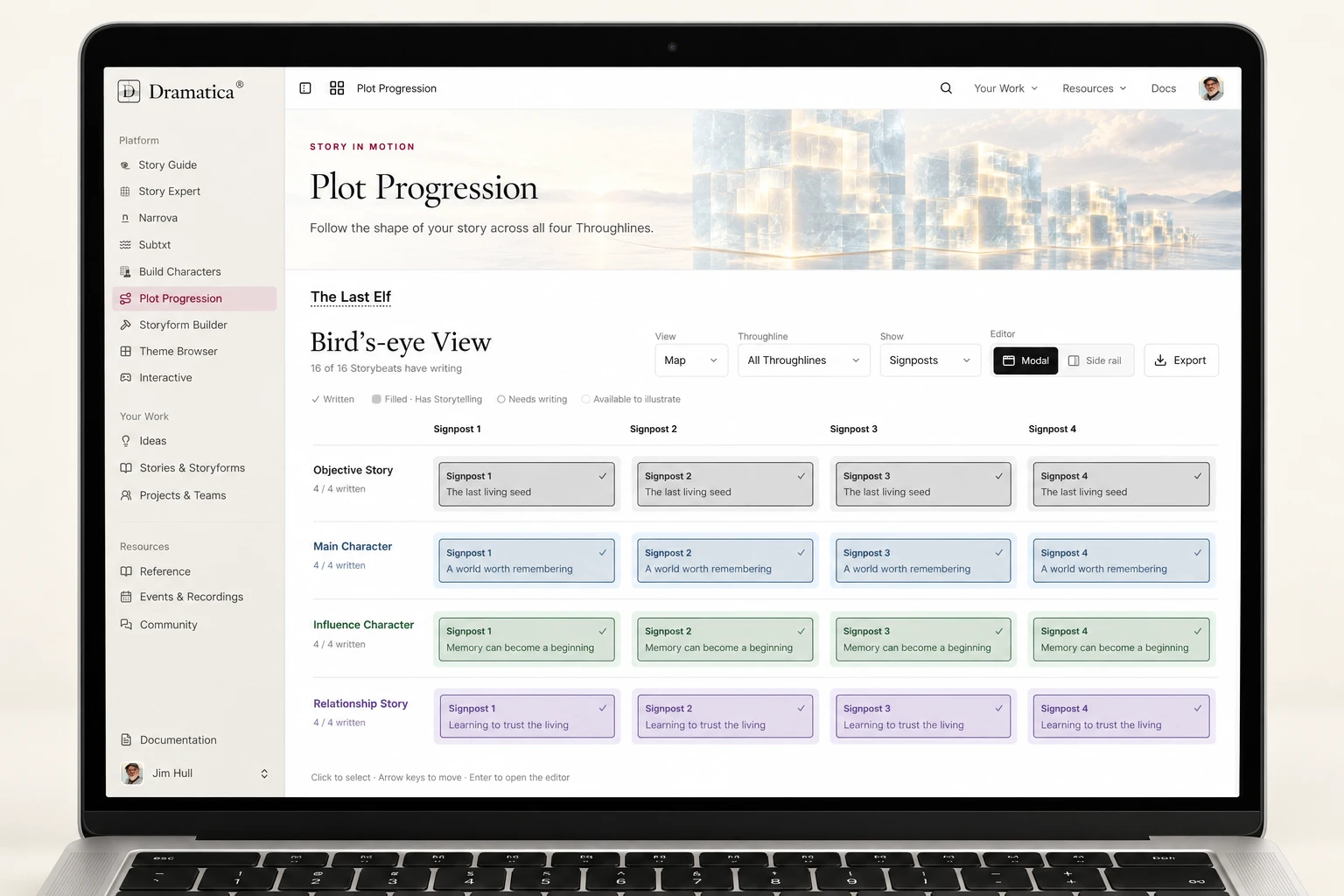
Follow your story across all four Throughlines. Move from the big picture into the Storybeats that bring each turn to life.
Keep the whole story in sight.
Explore each Throughline side by side. Move between Signposts, Progressions, and Events, then focus on the next Storybeat you want to develop.
Go from the map to the writing.
Open a Storybeat to develop its Storytelling, explore examples, and work through the details. Return to the wider view with each piece connected to the story’s structure.
07 Storyform Builder
See the whole story.
Shape every connection.
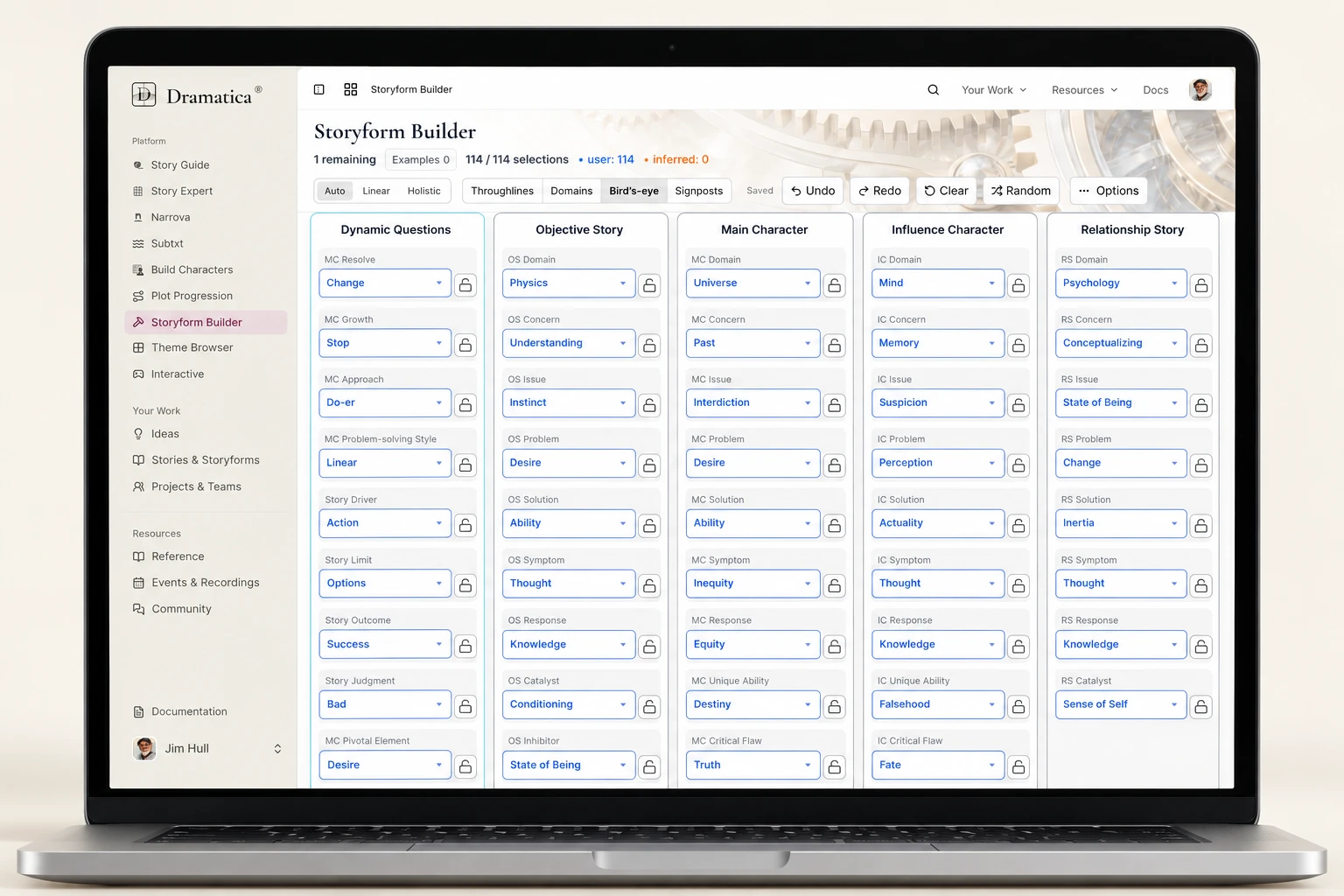
For the moments when you want to work directly with structure, all the choices are within reach.
See how your choices connect.
Explore Domains, Storypoints, and Signposts. Watch the compatible possibilities narrow as you make decisions about the story you want to tell.
Know what you chose—and why.
Distinguish the choices you made from the ones the Storyform infers. Continue from Story Expert, or begin here when you prefer a direct view of the structure.
08 Interactive
Step into the scene.
See what unfolds.
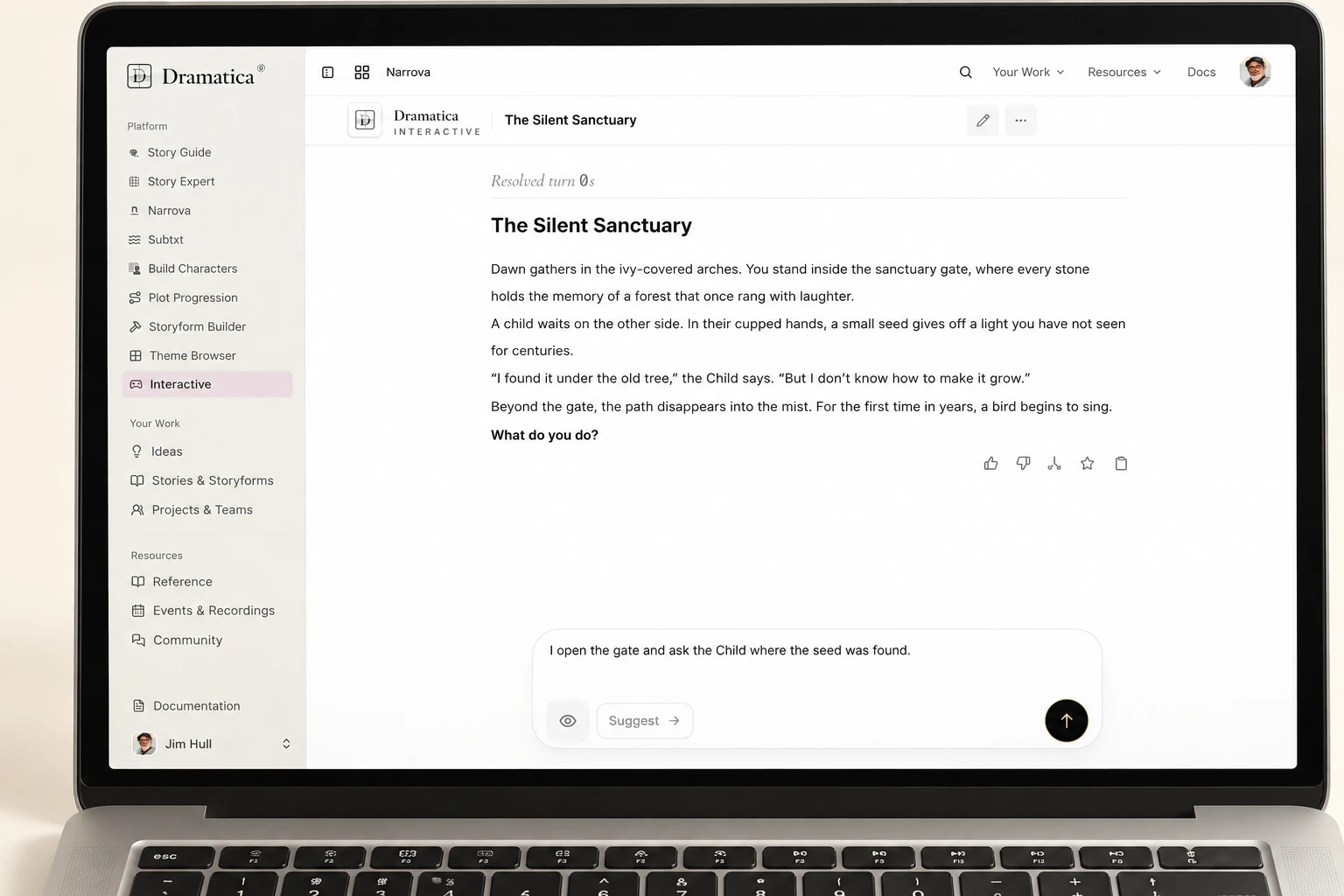
Experience your Story Moments as live scenes, and explore what happens when your characters have to act.
Put a Moment in motion.
Develop a Moment and its Storybeats in Subtxt, then launch it in Interactive. Explore the scene through a live playthrough grounded in your story material.
Discover through decisions.
Pressure-test Character choices, Throughlines, and Storybeats from inside the scene. Return to your writing with a clearer sense of how the conflict plays.
Your story comes first
Start anywhere. Keep going.
Choose the workspace that fits your next idea. Your Story Context keeps the work connected.